
AI plans and credits
Credits
See what is free and what uses credits, get 1,000 free credits, and check your balance and history.
What is free and what uses credits
Yomates is free to download and use, on Mac, Windows and Linux. Your agents' own work in chat and in the browser is free too: they think with the ChatGPT, Claude or Gemini plan you already have, or with an API key, not with credits. To connect or change one, see Connect your AI.
Credits pay for the extra services an agent calls on:
| Service | Notes |
|---|---|
| Image generation | Product photos and edits, made with GPT Image 2 or Nano Banana Pro. |
| Video generation | Clips made with a video model. |
| Music generation | A track for a video, when you don't send one. |
| Dictation | Speaking to the app instead of typing. The Credits section lists dictation alongside images and video. |
| Recordings | Reading a job you recorded for an agent. See Show a job once. |
| Actions in connected apps | Each action an agent takes through an app you connected in Apps, such as Gmail or Google Sheets. |
| Data lookups | Searches an agent runs for research, such as trending short videos, keyword volumes and search results. |
A job that needs more credits than you have does not start.
To see how much your agents use your AI plan, open Settings, then Usage. It counts every model call by model, by agent, and by chat and routines; COST reads In your plan when everything ran on a subscription. That usage belongs to your AI provider, not to your Yomates credits.
Get 1,000 free credits
Book a 30-minute call with the Yomates team at cal.com/vadim-choi/yomates, or click Book a call on yomates.ai. Booking a call gives you 1,000 free credits.
Check your balance
- Click your name at the bottom of the left column.
- Choose Settings.
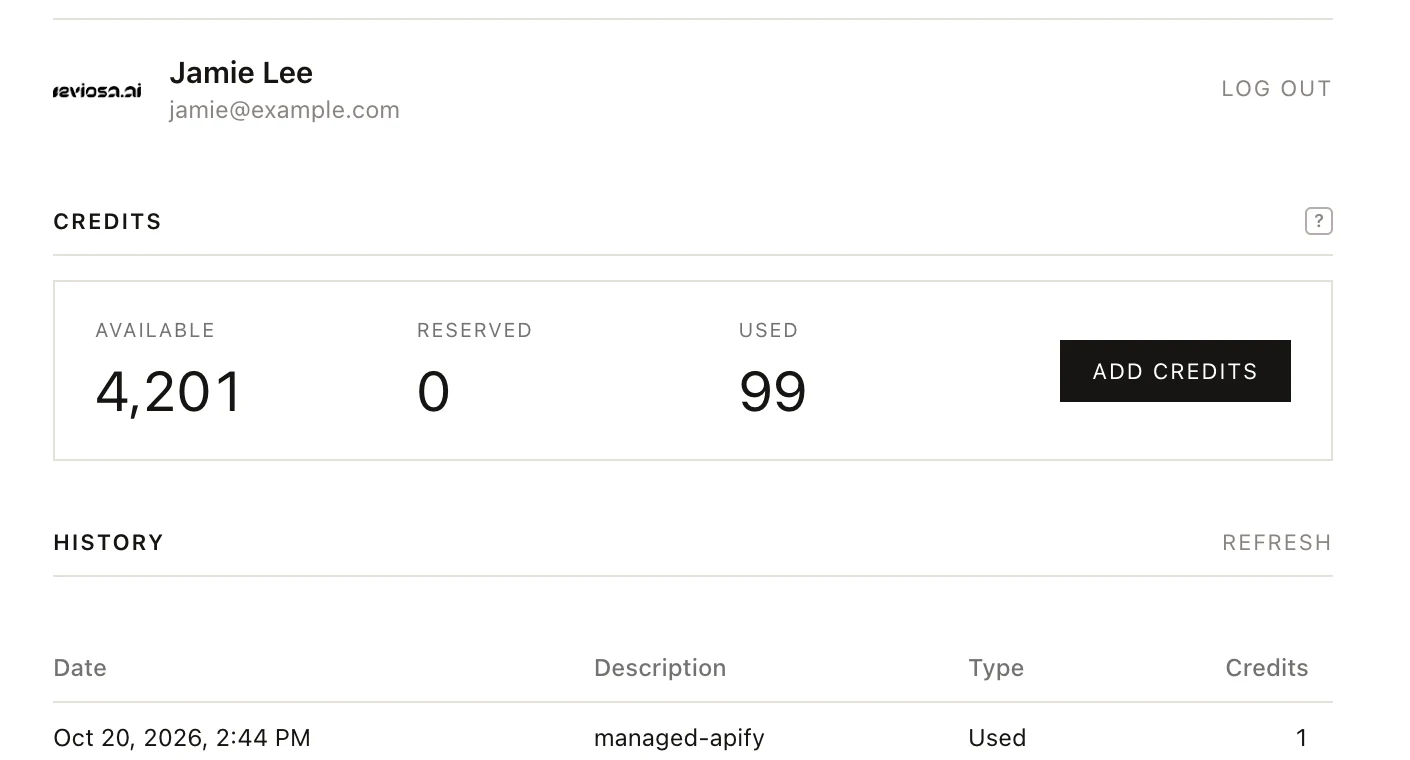
- In Account, scroll to Credits.
| What you see | What it means |
|---|---|
| AVAILABLE | Credits you can spend now. |
| RESERVED | Credits held while a service is working on a job. |
| USED | Credits spent so far. |
| History | Each charge with its Date, Description, Type and Credits. The latest five show first; the button under the list shows the rest. |
| Recent jobs | Your latest image, video and other service jobs, kept after you close the app. OPEN RESULT downloads a finished one in your browser. |
| REFRESH | Beside History, reads your balance and history again; beside Recent jobs, the jobs. |
If the section says credits are unavailable, click TRY AGAIN.
Add credits
There are two ways to reach the pricing page:
- ADD CREDITS, beside your balance in Settings > Account.
- Buy a plan, in the menu under your name at the bottom of the left column.
Both open the page in your own browser. You never enter a card inside the app.