
Agents
Share an agent
Send an agent you built to someone else, or bring one in from a link or a file.
An agent you share takes its name, look, instructions, skills and routines with it. Its memory goes only if you turn it on. Your passwords, logins and team memory never leave.
Share yours
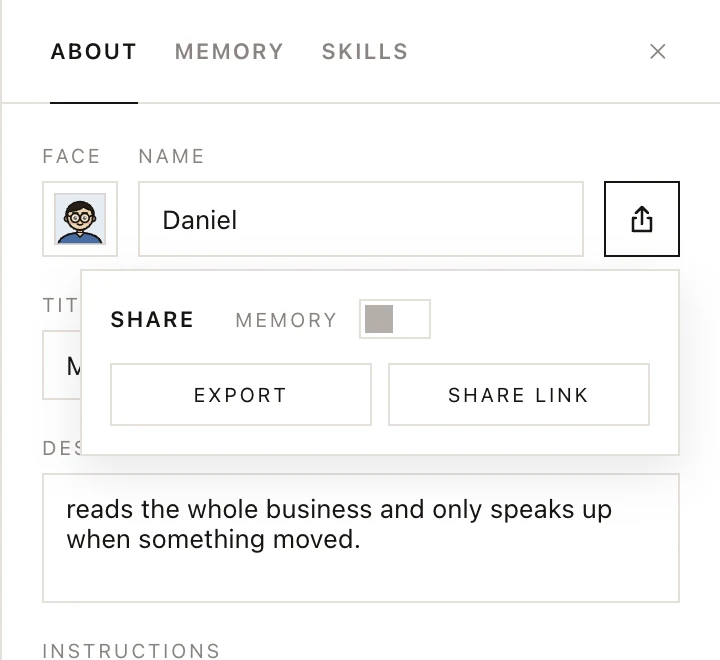
- Open the agent's profile and click the share icon next to its name.
- Turn on MEMORY if what the agent has learned should go too.
- Click EXPORT to save it as one
.yomatesfile, or SHARE LINK to copy a yomates.ai link to it. - Send the file or the link to the other person.
Sharing again updates the same link. STOP SHARING in the same popup takes the link down, and so does deleting the agent.
Bring one in
- Click the + beside Direct messages to open the new-agent screen.
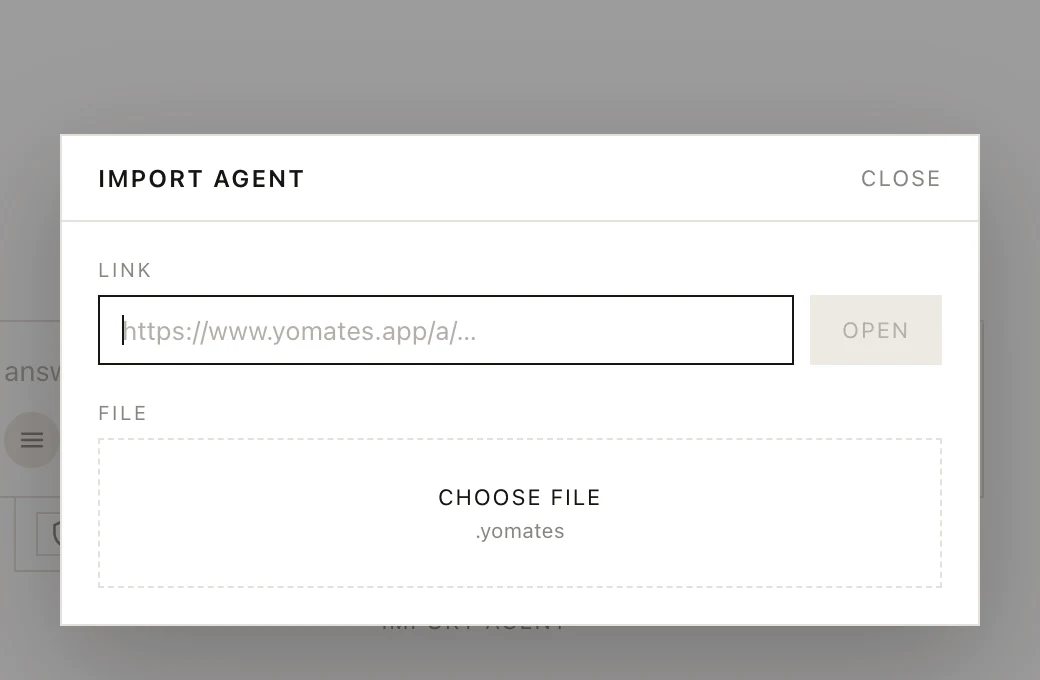
- Click IMPORT AGENT.
- Paste the link and click OPEN, or click CHOOSE FILE and pick the
.yomatesfile. You can also drop the file anywhere on the window. - The agent opens as a draft. Look it over and click SAVE AGENT.
Nothing is added until you save. If you already have an agent with that name, the new one gets a number ("Mina 2"), and its routines stay paused until you turn them on.
Was this page helpful?