
Routines
Set up a routine
Have an agent do a job on a schedule, or remind you once at a set time.
A routine is an instruction an agent runs by itself on a schedule: orders and stock at 8 in the morning, new DMs every hour, a report on Mondays. A one-off routine is a reminder for one moment, such as "post the carousel on Friday at 14:00". Each routine belongs to one agent and runs on your computer while Yomates is open.
Saying it in the chat is the quickest way:
- "Every weekday at 8:00, check new orders and stock and tell me what changed."
- "Remind me on Friday at 14:00 to post the carousel."
The agent sets the routine, and the chat shows setting a routine · with the routine's name. It works best after the agent has done the job once with you, so it already knows the steps.
You can change routines the same way: "pause the morning report", "resume it", "delete the stock check".
- Open the agent's chat and click ROUTINES at the top (⌘⇧P on a Mac). If the agent is working on something, the button reads PREVIEW and the routines are listed under the preview.
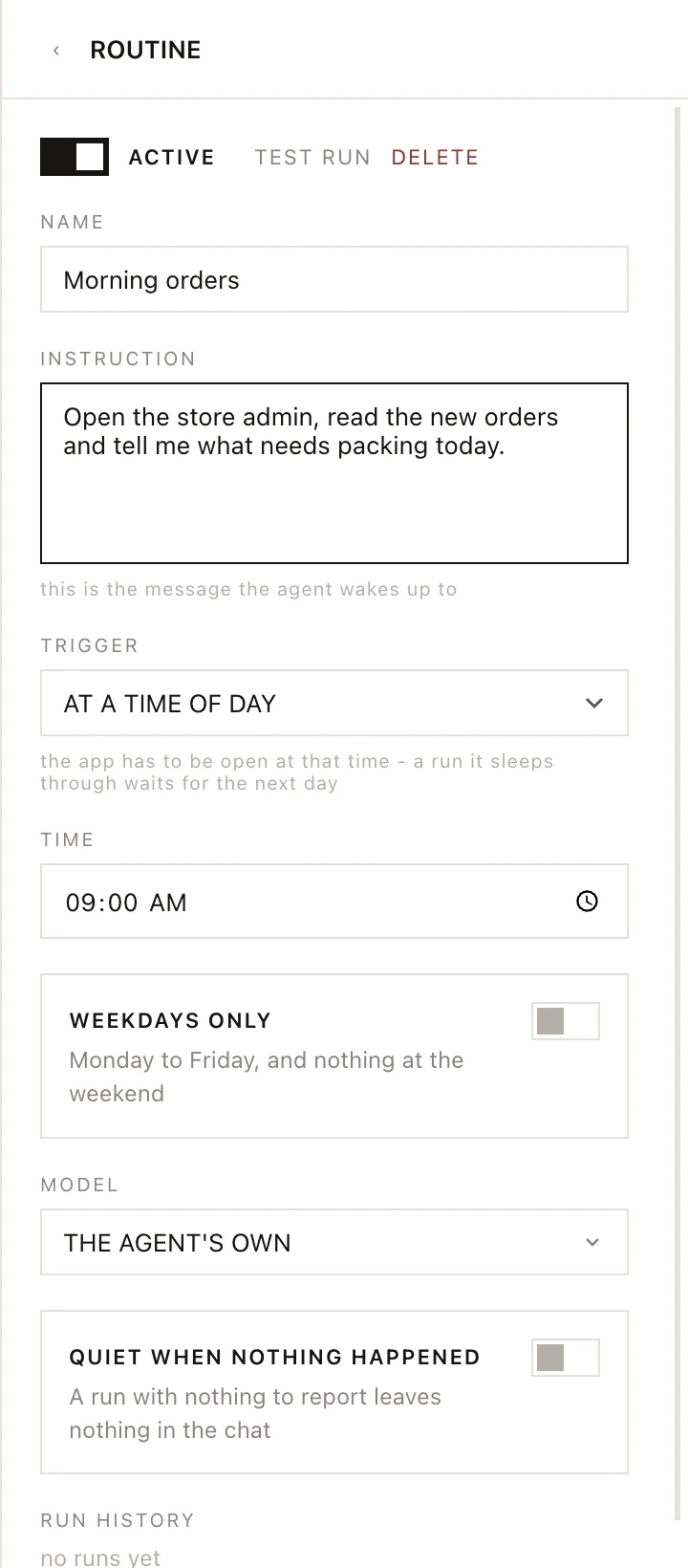
- Click the + next to ROUTINES (New routine).
- Type a NAME.
- Write the INSTRUCTION. It is the message the agent wakes up to, so write it the way you would write to the agent. A run doesn't see your chat, so put everything the job needs in it.
- Choose a TRIGGER (see below).
- Click TEST RUN to see a run now.
Changes are kept as you type.
Triggers
| Trigger | When it runs |
|---|---|
| ONCE | At the DATE and TIME you pick. After it runs, the routine is deleted. |
| WHEN THE APP OPENS | Each time you open Yomates. |
| EVERY… | Every so many MINUTES, HOURS or DAYS, counted from its last run. |
| AT A TIME OF DAY | Every day at the TIME you set. Turn on WEEKDAYS ONLY to skip Saturday and Sunday. |
Other settings
| Setting | What it does |
|---|---|
| MODEL | THE AGENT'S OWN runs on the agent's usual model. FAST, STANDARD and DEEP use the task models set in Settings > Models, under ADVANCED (see Models and API keys). |
| QUIET WHEN NOTHING HAPPENED | A run with nothing to report leaves nothing in the chat. Good for checks that usually find nothing. |
| RUN HISTORY | When the routine last ran. |
To find what a routine reported, or to pause, change or delete one, see Check and change routines.