
Skills and memory
Skills
Give agents a written-down way of doing a job, for one agent or for the whole team.
A skill is how a job is done, written down once. An agent opens it when that job comes up. Facts about you and your business go in memory instead.
Where skills come from
- The agent writes one. Once it has worked out a site or a job, an agent can write the steps down. The chat shows writing down how to …, and the new skill is added to that agent.
- A recording. After you record a job, the agent offers to keep it as a skill.
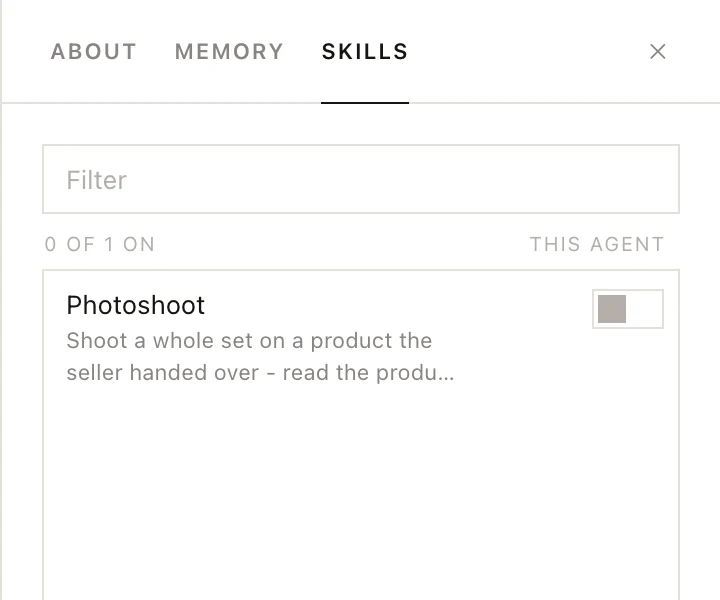
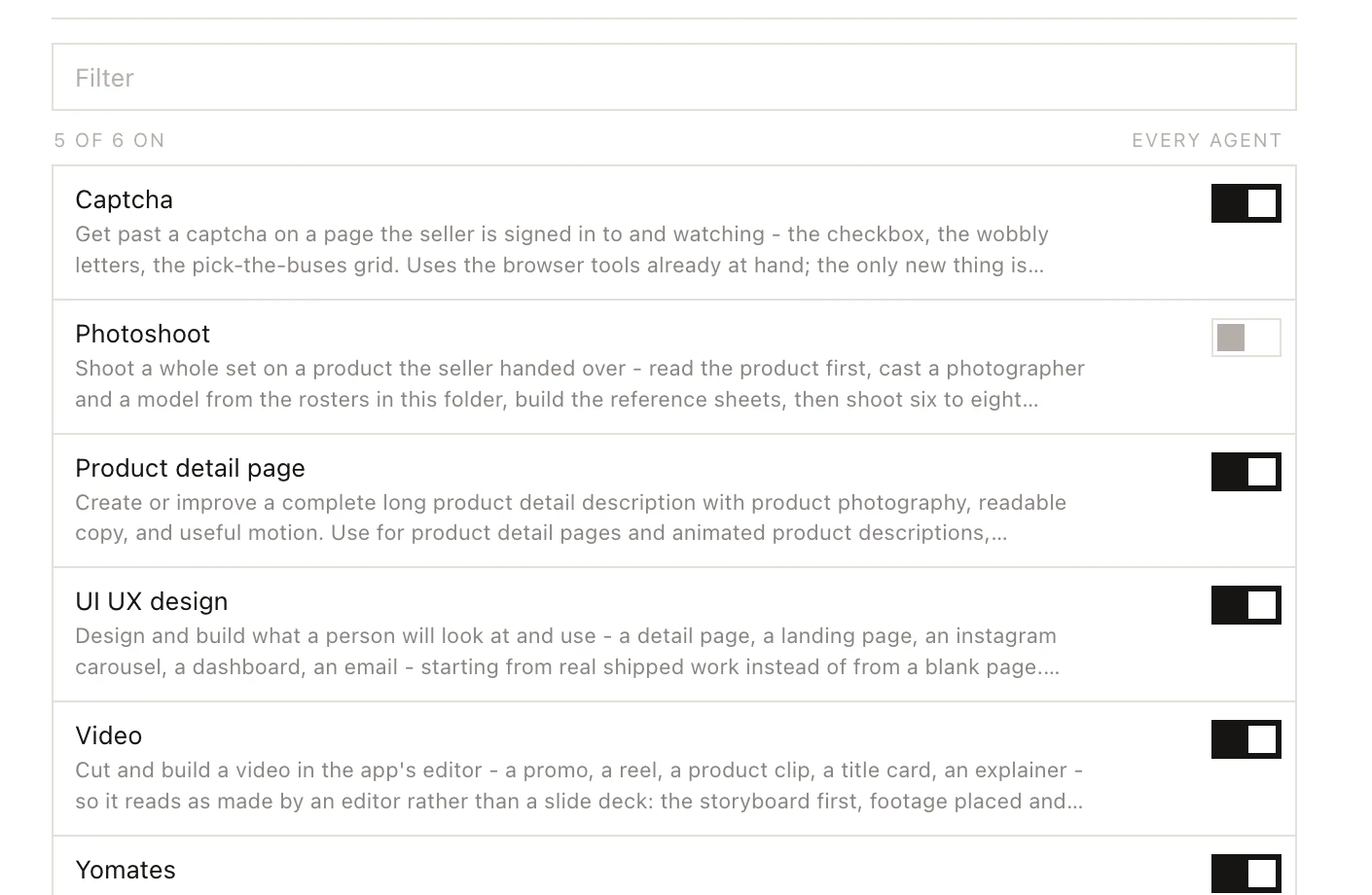
- Yomates ships some. Captcha, UI UX design, Product detail page, Video and Yomates are given to every agent from the start. Photoshoot comes with Junho.
Give a skill to one agent or to all of them
| Where | Switch column | Switched on means |
|---|---|---|
| Settings, then Skills | EVERY AGENT | Every agent has the skill. |
| The agent's PROFILE, then SKILLS | THIS AGENT | Only this agent has it. |
To open Settings, click your name at the bottom of the left column and choose Settings. To open an agent's list, open its chat, click PROFILE at the top, then click the SKILLS tab.
Each skill shows by name with an on/off switch. The line above the switches counts how many are on, for example 3 of 7 on. A skill switched on in Settings is everyone's and does not appear in an agent's own list.
In either list:
- Type in Filter to find a skill.
- Click the pencil (Read and edit this skill) to read the skill and change it, then click Save.
- Click × to delete a skill for good. The button changes to delete?; click it again to confirm.
Site skills
Some skills are tied to a website. They appear under Site skills with their sites next to the name, and have no switch: every agent, and every worker an agent sends off, gets the skill as soon as it opens that site.
Ask for a skill by name
Type / in the message box to list this agent's skills. Pick one (it goes in as /skill:name) to have the agent use it for what you write next.